Track from the menu bar
Press play on a project. The timer survives quits, restarts and sleep.
A menu-bar time tracker that files your time under clients and turns it into a clean PDF invoice when the month ends.
Apple silicon and Intel · No account · Your data stays on your Mac
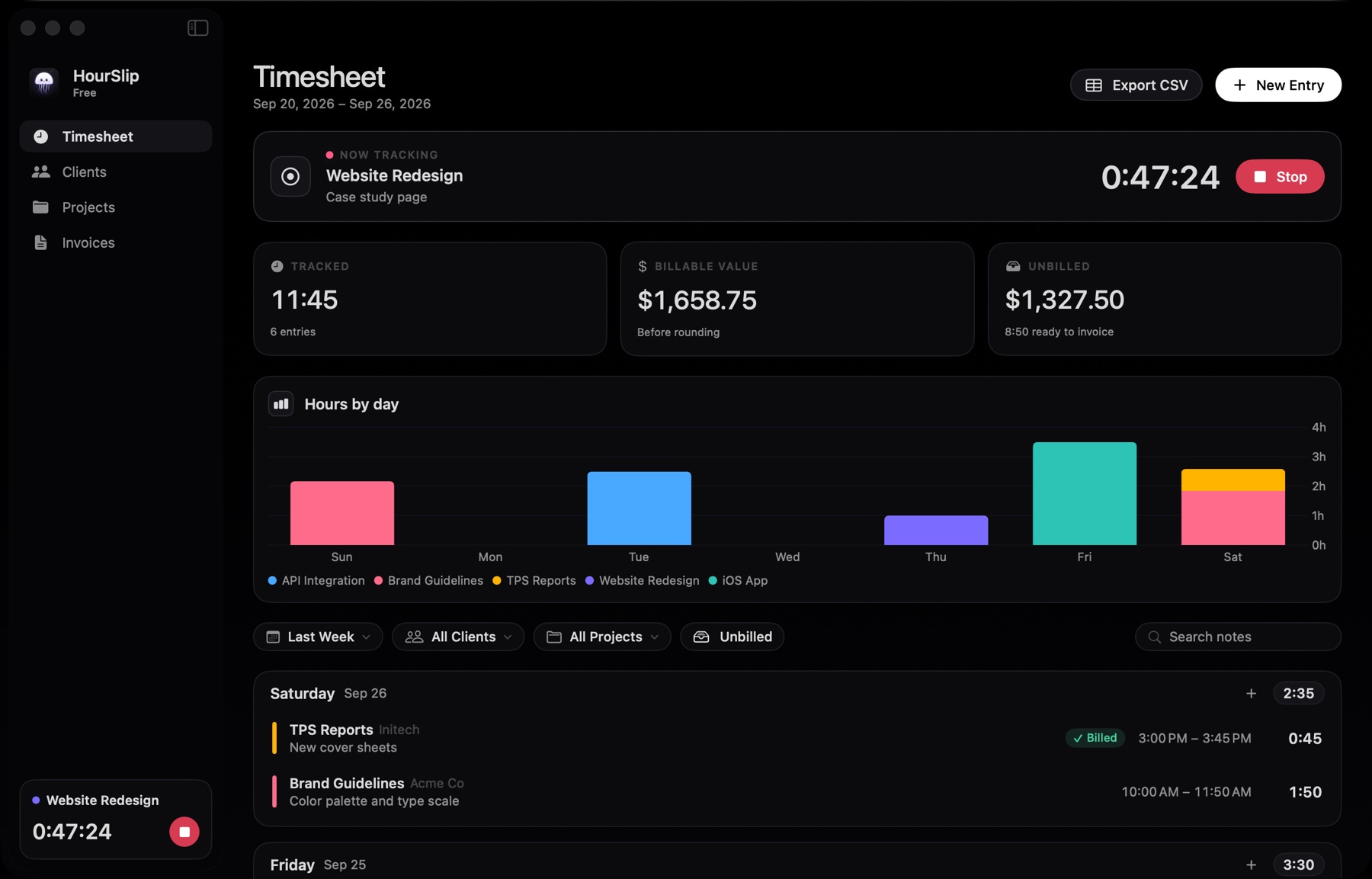
The 30-second version, with sound.
Four steps, and the first one is a single click in your menu bar.
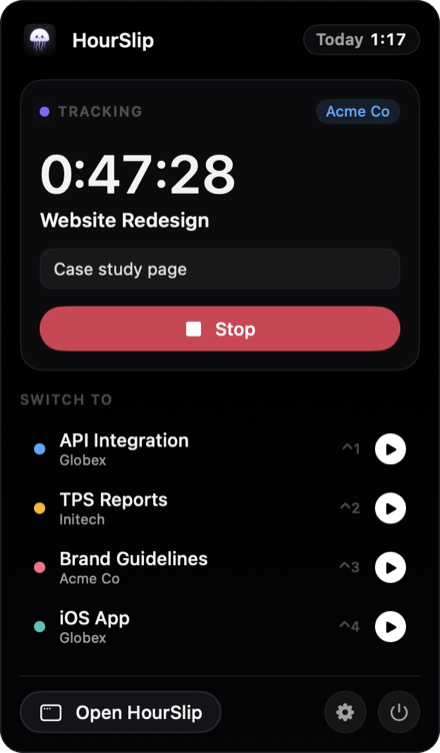
Press play on a project. The timer survives quits, restarts and sleep.
Rates, currency and payment terms per client. Budgets per project.
Pick a client and a period. Rounding, tax and numbering are done for you.
Letter or A4, with your logo. Preview every page before you send it.
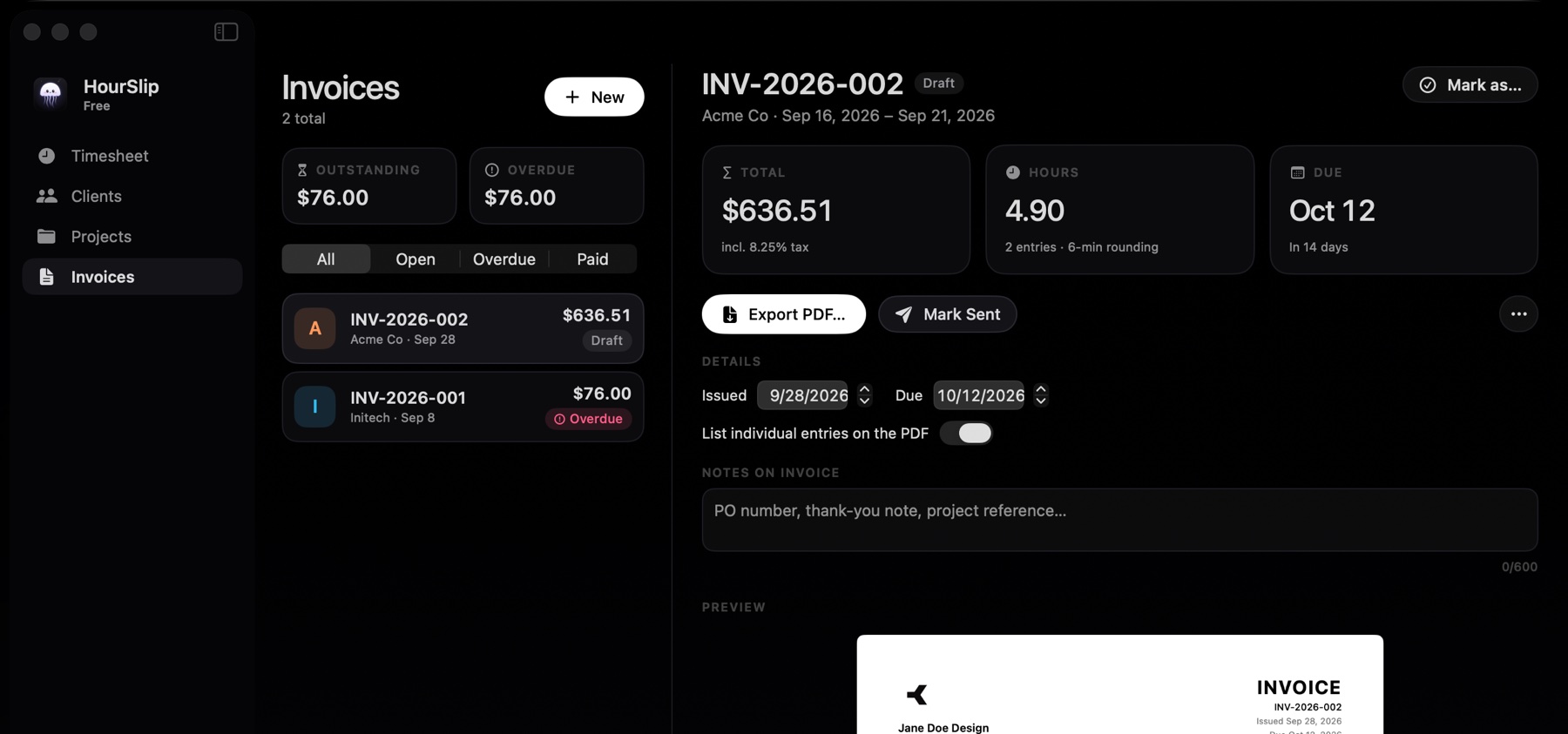
Every invoice shows a live preview of its pages. Mark it sent, then paid. Overdue invoices flag themselves.
The menu bar panel shows what's running, today's total and your recent projects.
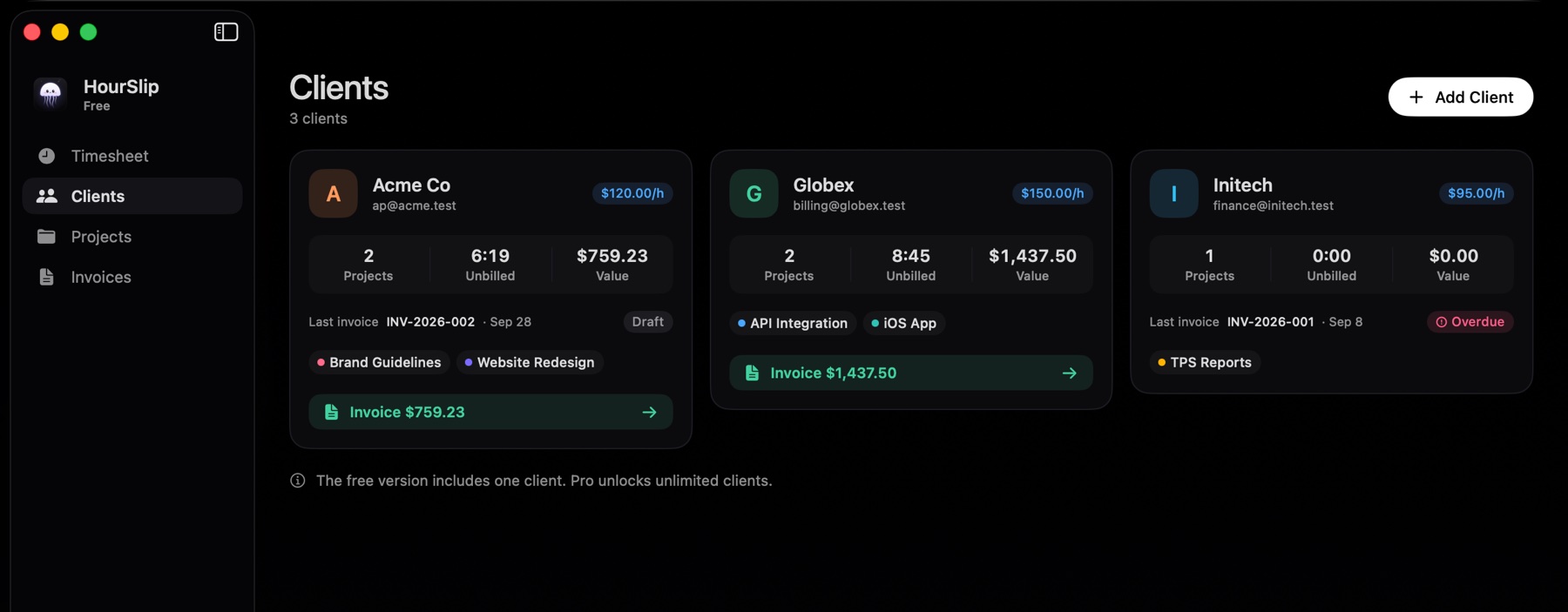
Each client shows its unbilled hours and their value, with a button that turns them into an invoice.
The small things that save an evening at the end of every month.
Round each entry up to 1, 6 or 15 minutes.
Call it VAT, GST or tax, with a default per client.
Each client bills in its own currency.
A warning before a fixed-scope project runs over.
Left running overnight? Stop it at a sensible time.
Choose whether time your Mac spent asleep counts.
Import Toggl Track reports or a CSV.
No account, no tracking, daily local backups.
A single purchase for Pro. No subscription.
$0
The public beta, with tracking and invoicing.
$29 once
Sold through polar.sh. The key arrives by email.
Signed and notarized by Apple, so it opens like any other Mac app.
Open HourSlip.dmg and drag HourSlip into Applications.
Launch HourSlip from Applications. It lives in your menu bar, not the Dock.
Click the clock in your menu bar and press play on a project.
In HourSlip's sandboxed container on your Mac. HourSlip never sends your data anywhere. It only goes online to check your Pro license key with polar.sh and to look for updates on this site. It keeps daily backups for 14 days, and Settings can export a full JSON backup.
No. HourSlip only records time you start yourself. It doesn't watch your screen or your apps.
After 10 hours HourSlip offers to stop it 1, 2, 4 or 8 hours after it started. If your Mac sleeps for more than 10 minutes, it asks whether to keep that time.
Yes. Each client has its own currency, rate, payment terms and default tax. One invoice uses one currency.
Yes. Settings imports Toggl Track detailed reports and HourSlip's own CSV, and creates any clients and projects that are missing.
No. Pro is a single $29 purchase through polar.sh. It unlocks unlimited clients, invoices without the footer and CSV export. Paste the key from your purchase email into the upgrade sheet in HourSlip. One key works on one Mac at a time, and you can move it from Settings → General.
Yes. The disk image and the app are signed with a Developer ID and notarized by Apple, so macOS opens them without warnings.
A Mac with macOS 14 Sonoma or later, on Apple silicon or Intel.

Free while in beta. Nothing to sign up for.
Download HourSlip